
My moms Dell Latitude 7390 2 in 1 Ultrabook Week experience (coming from low end user)
Introduction
If i said 2026 would be my year i would say 2 nickels cause in early 2026, i did quite alot of weird experiments like
- Running NixOS then going back to Archlinux because i could not get Davinci Resolve running
- Playing Pikmin 1 Wii and gamecube on a windows vm that almost bottlenecked my laptop
- Benchmarking my not bought but credited POCO X7, to run wii games almost all of them ran great!
- Switching to CachyOS on my laptop...
- Challenged myself a hour to make simple Cube 3D game that does nothing in Godot
All of these were fun, but then i noticed something... is it takes hours to compiled an Switch emulator, or aseprite (support devs mf lmao), and honestly i always thought my laptop was good, it ran Wii, Wii U, 3DS, Switch, PS2 games, and ran Adobe suite like Premiere pretty well sometimes... but just now i noticed its indeed just a weak laptop because there were only 2 cores, yes 2 cores, Dual Core in big 26 isnt it?, Dual Cores still work in 2026 you can have YouTube video playing in background, and play the game, whilist having minimal framerate loss, but then when it comes to work or multitasking like making Texture Packs for games, or repeatedly testing them it can be a pain...
So on February 8th, 2026 i thought to give my moms laptop the Dell Latitude 7390 2 in 1 a try, and sure she let me use it! (but keep in mind i could not just slap Linux on it and call a day), undoubtfully looking at the specs they almost dont change:- I3 8350U 4 Cores 8 Threads
- 8GB of ram DDR4 (7.9gb to be exact)
- 256GB EMTEC X300 NVME SSD
- Full HD IPS AUO Screen (overclockable to 78Hz unofficialy)
- 2 USB Ports
- Thunderbolt cable
- USB C Charger
- Touchscreen support
- Accelerometer, GPS, Biometrics sensor
- Tablet Mode support (Flip laptop keyboard to 360°)
- An high quality chicet keyboard
- Anti glare Matte protector to somehow ensure screen is always clean
You mean these specs are bad in 2026? well maybe not so, of course 8gb of ram is just not enough you can agree with me i could open the laptop to maybe replace ran but no.. the prices aren't great right now, and SSD is fine, the CPU though thats when it can shine, but not the GPU the IGPU is not designed for heavy games, the screen though its actually way better than mine: Cleaner panel (no dirt visible), IPS screen type although one con (if you look closely you will see pixles, thats because the screen only support 6bit color which sucks, but anyway let's start into it!)
Day 1 (Using Sunshine streaming)
At first when i hooked it up to sunshine streaming, and opened it on my laptop, gosh the desktop was sure NOT that clean, the icons are riddled everywhere its like you did not even categorize them ugh!, (and to know this was on the moms user), so i cleaned up the desktop then i decided to clean the laptop ssd so i used an tool called WizTree which does a good job at scanning biggest files on the laptop, although the result was i free over 6.3gb of storage which is more if not better, after that i realized just doing my work on moms user is not intuitive and kinda defeats purprose of the built-in user system Windows has, so i created my user noticed quite lots of apps were missing: Firefox, Steam, Vesktop, Affinity, Davinci Resolve, OBS Studio, Audacity, Libreoffice, Aseprite you know the drill they were not installed as if this was clean install. so i set up the browser and though to go with Google Chrome (for now), then i thought to boot up Steam and try some games, first i started with.
Gaming (7/10)
Half Life 2 this game is not hard to run keep in mind, so i ran it at maximum settings possible and it can achieve over 100 Fps! which is not suprising the engine game made in Source 1, likely supports multi-threading the CPU Cores can and may likely benifited from this, hovewer in heavy areas the city fps will drop to 40 which is acceptable as its the most demanding area in the entire game. Half Life 2 was playable obviously so i can give it a 8/10 Sonic Generations this is a 2011 game, and may not be hard to run too but then you realize its more demanding so lets get into it. On 1080p you get a whooping 27fps as Classic sonic, and 30 as modern sonic (for some reason modern stages run better), and honestly quite impressive maybe it runs better than the Switch 1?, no obviously it doesn't thats where IGPU falls, because of not being powerful enough as a DGPU, at 720p hovewer the story is entirely different, the fps can drop about to 50 in most areas, to 30, in heavy effect areas (even Xbox 360, PS3 couldn't handle those and GPUS at the time struggled to handle those too due to optimization being crap), although i cant say much about the game it cant just run at 60 fps at 1080p so obviously 4 points taken Sonic Generations can run great at 720p so i give it a 7/10 Alright now i since i didn't test much games due to having less time i moved on to emulation and thats where 4 cores surely shine!
Day 2 (Using laptop directly, some content creation)
Wii Emulation Sonic Colors this might be the most demanding Wii game to run not only because Sonic Team managed to achieve 7h generation console graphics on a Wii but they capped game to 30 fps in-game, on 720p resolution most World maps sadly struggle run at 60fps they drop at 55fps same goes for title screen but that doesn't concern me much, might be just Intel drivers being bad, in-game though the game can't really drop at 30 fps at 720p unfortunately i couldn't be able to play the game with 60FPS cheat code as it cant obviously. Sonic Colors runs great at 720p but some of fps drops in worldmaps and title screen kinda piss me off 7.5/10 Mario Kart Wii Due to this laptop having 4 Cores cpu expensive computing runs much faster than on 2 cores because of this the performance is maybe better than the game ran on my laptop, at 720p you will expect the game running almost at 60fps without hacks, and 60 without drops with hacks. Mario Kart Wii will run good at 720p 8/10 Switch Emulation Super Mario Maker 2 This game is simple to run however still demanding to frequent shader compilations, demanding effects on 3D World etc etc, hovewer at 1x resolution handheld you can almost hit 60FPS on the most demanding game-style Super Mario 3D World, other than that quite playable not on docked obviously may recommend 0.75x resolution if you want to multitask Super Mario Maker 2 no major cons 8/10 Alright so games do run thats good!, but can we make a video on it?, can we make a picture, or use an daw like Audacity well im sorry to say but its almost good for such workflow!
Content Creation (7/10)
Davinci Resolve (18), the App runs pretty well so far boots up longer for some reason on Windows, however you can except so edit pretty smoothly at 720p even on fusion, fusion has shader compilation moments, so thats where 4 cores are being used, however Half quality preview is still recommended to avoid Framerate drops, 1080P is same but performs a little bit worse than 720P again Half quality preview recommende, 1440p this one doesn't make sense but runs even worse than 1080p you can put 2 videos at 1440p and still it will run, Quarter preview quality recommended
Davinci Resolve overall while yes it does run, im not happy to see some stuttering issues especially project initialization taking solid 7 seconds just to show an 720, 1080, 1440p video but other than that it runs significally better than my laptop guess 4 Cores truly shine here 7/10
Affinity app by Canva
This one runs good you can edit 1080p photos, but it will start lagging once you have like 20 effects applied although editing at 720p shouldn't be laggier than at 1080p photos
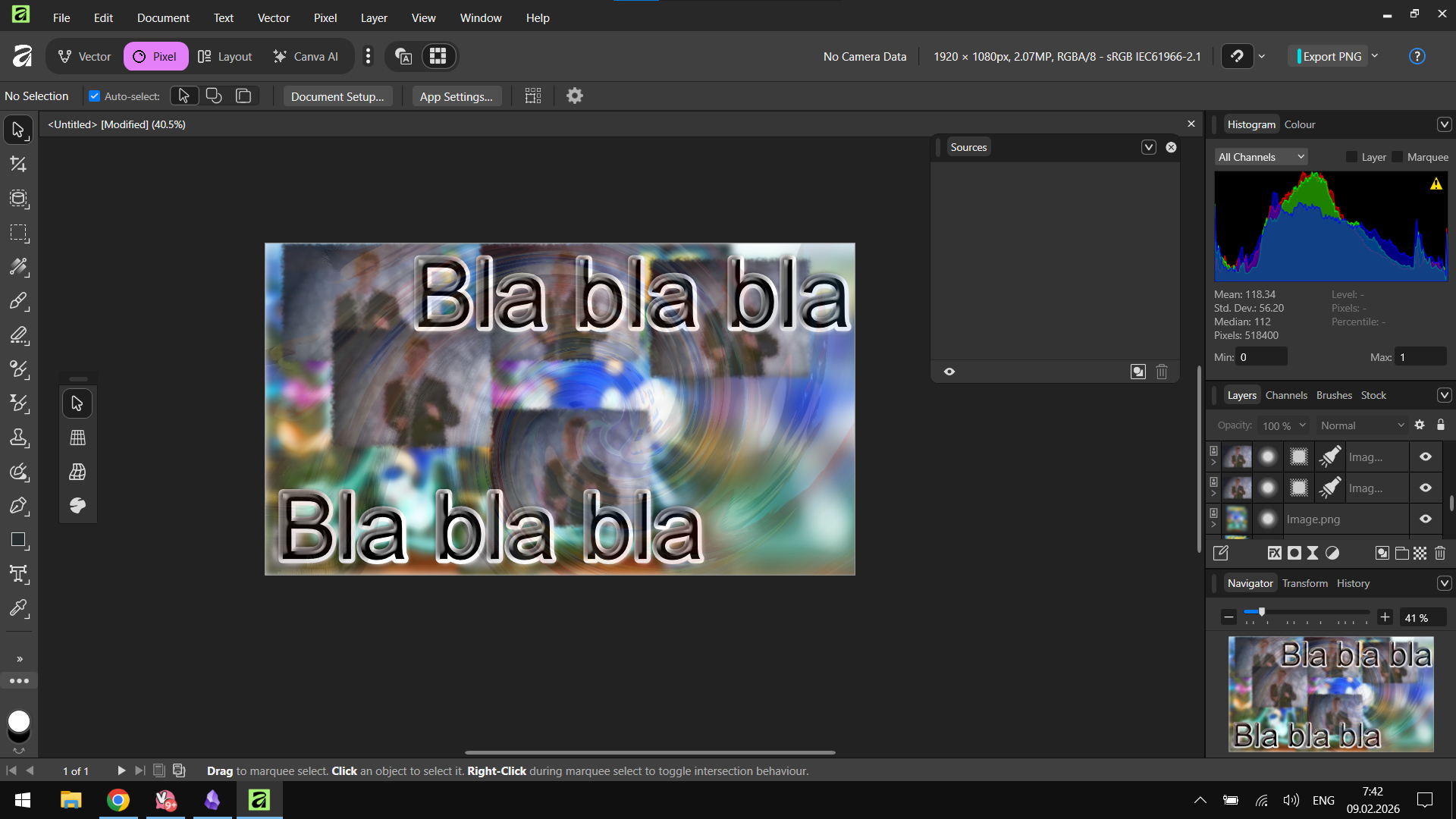 Affinity app by Canva solid 8/10